The SHOKZ OpenComm2 UC combines an open-ear bone-conduction design, boom microphone, and Loop120 USB-C wireless adapter for computer-focused calls.
This SHOKZ OpenComm2 UC Open-Ear Headset review looks at how its controls, stated battery life, and water resistance fit a workday routine.
OpenComm2 UC Review Summary
The quick verdict
500+ ratings
Read Amazon ReviewsSHOKZ OpenComm2 UC
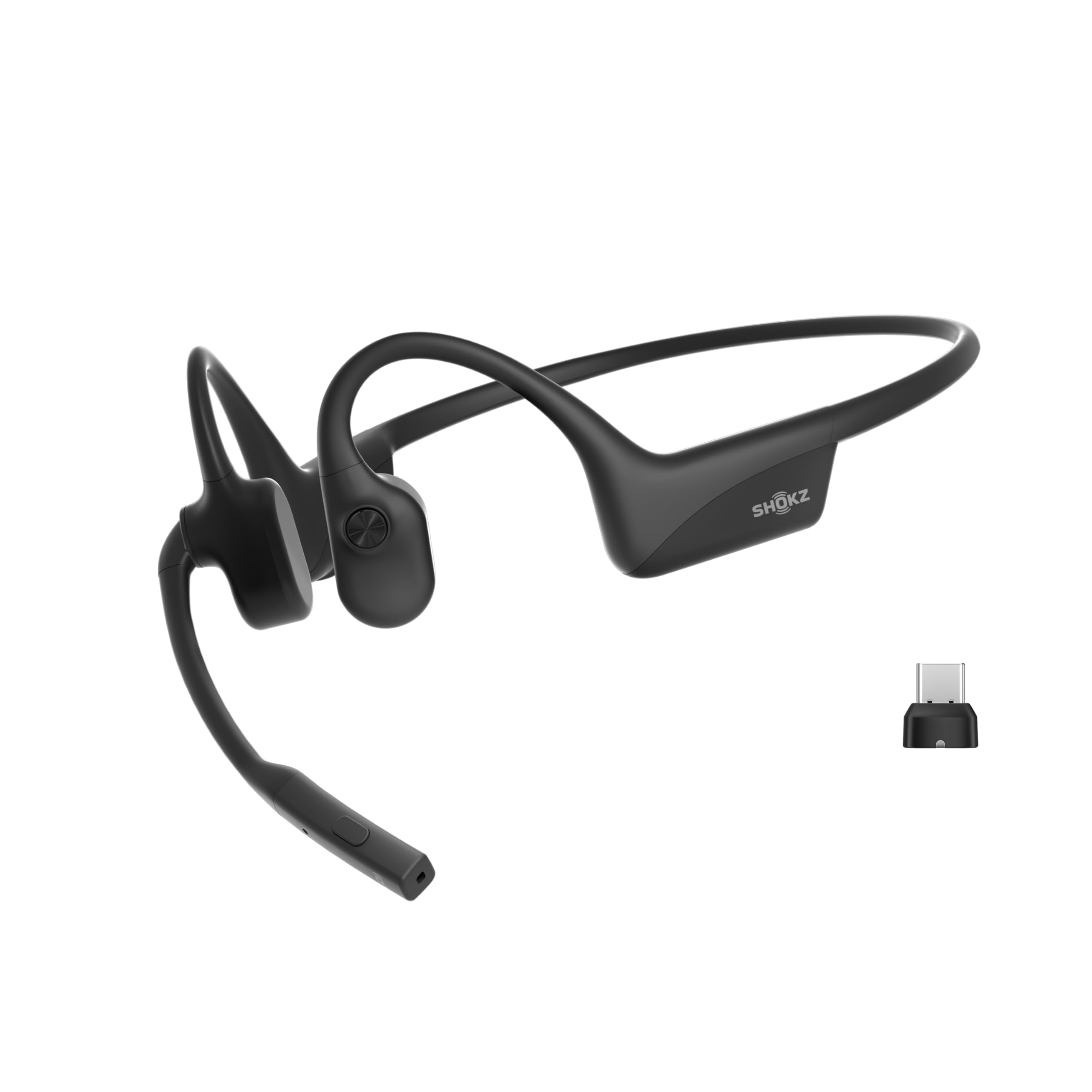
A fit for computer users who want a lightweight open-ear headset, boom microphone, and bundled USB-C adapter for calls and everyday listening.
- Open-ear bone-conduction headphones with PremiumPitch 2.0 audio and a boom microphone.
- Noise-canceling microphone with DSP technology for calls.
- Loop120 USB-C wireless adapter for PC or Mac, alongside Bluetooth connectivity.
- Zoom-certified design for software integration.

Pros
- Open-ear construction keeps the ears uncovered during calls and listening.
- A boom microphone and DSP noise cancellation are geared toward voice communication.
Consider before buying
- The open-ear design does not provide the isolation of a sealed headset, so surrounding noise may compete with audio.
- The USB-C adapter is most useful when the computer has a compatible port; check your device setup before buying.
Read the full review summary
The OpenComm2 UC is designed for people who spend time on calls but prefer to keep their ears uncovered.
Its 35-gram flexible frame, physical controls, and noise-canceling microphone with DSP point toward practical desk-to-mobile use, while the open-ear format can help you remain aware of nearby sounds.
Zoom certification and the included Loop120 adapter also make computer use a central part of its appeal.
Its strongest case is a combination of call-oriented hardware and convenience features: up to 16 hours of talk time, up to 8 hours of listening, and a five-minute charge said to provide two hours of talk time.
The tradeoff is that an open-ear headset is not intended to isolate you from a noisy environment. Consider whether the fit, connection approach, and stated endurance match your work setup before choosing it.
The buying factors
OpenComm2 UC Scorecard
Editorial scores reflect listed features and buyer fit; they are not laboratory measurements or customer ratings.
Call-focused design
A boom microphone with noise-canceling DSP and physical mute controls suits frequent calls.
Computer setup
The Loop120 USB-C adapter and Zoom certification make computer use a clear priority.
Open-ear awareness
The open-ear bone-conduction design leaves the ears uncovered, which may suit work where nearby sounds matter.
Controls
Dedicated physical controls cover volume, mute, playback, and related functions.
Battery flexibility
The stated talk and listening runtimes plus a quick-charge option offer useful flexibility for busy days.
All-day wear fit
Its low listed weight and flexible frame are promising for extended wear, though comfort depends on individual fit.
Weather resistance
IP55 water resistance adds a practical measure of protection for mobile work, within the limits of that rating.
Key Features and Specifications of OpenComm2 UC
- Open-ear bone-conduction headphones with PremiumPitch 2.0 audio and a boom microphone.
- Noise-canceling microphone with DSP technology for calls.
- Loop120 USB-C wireless adapter for PC or Mac, alongside Bluetooth connectivity.
- Zoom-certified design for software integration.
- Physical buttons for volume, call mute and unmute, and audio playback controls.
- 35-gram weight, flexible frame, and soft silicone finish with an IP55 water-resistance rating.
- Up to 16 hours of talk time or 8 hours of listening per charge; a five-minute quick charge is described as providing up to two hours of talk time.
Pros and Cons of OpenComm2 UC
Pros
- Open-ear construction keeps the ears uncovered during calls and listening.
- A boom microphone and DSP noise cancellation are geared toward voice communication.
- The included USB-C adapter gives computer users a dedicated connection option.
- Physical call and playback controls are accessible on the headset.
- The stated quick-charge and talk-time figures support a flexible call routine.
Consider before buying
- The open-ear design does not provide the isolation of a sealed headset, so surrounding noise may compete with audio.
- The USB-C adapter is most useful when the computer has a compatible port; check your device setup before buying.
- The frame is designed to wrap around the head, so buyers who dislike this style should confirm that it feels comfortable for them.
Who Should Buy OpenComm2 UC?
Good fit
Consider the OpenComm2 UC if calls are a regular part of your computer work and you want your ears uncovered.
The boom microphone, physical mute control, and noise-canceling DSP give the design a clear communication focus, while the Loop120 adapter and Zoom certification address common computer-call needs.
It may also suit people moving between a desk and other work settings.
The 35-gram frame and IP55 water resistance offer practical design features, and the stated battery figures include a quick-charge option for a short break between calls.
Check that your computer can use the USB-C adapter and that the wraparound frame works for your comfort preferences.
Who should skip it
Look elsewhere if you need headphones to block distracting room noise. An open-ear design keeps the ears uncovered, so it is a poor match for buyers prioritizing passive isolation.
It is also worth considering another form factor if you prefer small earbuds or a conventional over-ear headset. The OpenComm2 UC’s wraparound frame is part of its design, and personal comfort with that style matters.
How the OpenComm2 UC Fits a Workday
Open-ear listening for calls
Bone conduction sends audio through vibration rather than sealing an ear canal with an earbud. That design leaves the ears open, which can be helpful when you want to hear people or activity around you while listening.
The corresponding tradeoff is less separation from environmental noise, so a busy shared space may make calls harder to follow.
A computer-first connection option
The Loop120 USB-C adapter is included to support PC and Mac use, and the product is Zoom-certified. Together, these details make it worth considering for a computer-centered call routine.
Before purchasing, check that your preferred computer can connect through USB-C and that your call software and work setup align with this connection approach.
Controls built around conversations
Physical buttons handle volume, muting, and playback, so common adjustments can be made on the headset. A dedicated boom microphone with DSP noise cancellation also puts voice communication at the center of the design.
These features are useful when calls and listening alternate throughout a work session, though they do not make the open-ear design an isolating one.
Battery and wear considerations
The stated maximums are up to 16 hours of talk time and up to 8 hours of listening, with a five-minute charge described as adding up to two hours of talk time.
The listed 35-gram weight and flexible frame suggest a design intended for extended wear, but comfort is individual. If possible, check the fit and boom position against your own routine before relying on it for long sessions.
Alternatives to OpenComm2 UC
Battery-focused alternative
2,000+ ratings
Read Amazon ReviewsJLab Flex Open Ear Earbuds
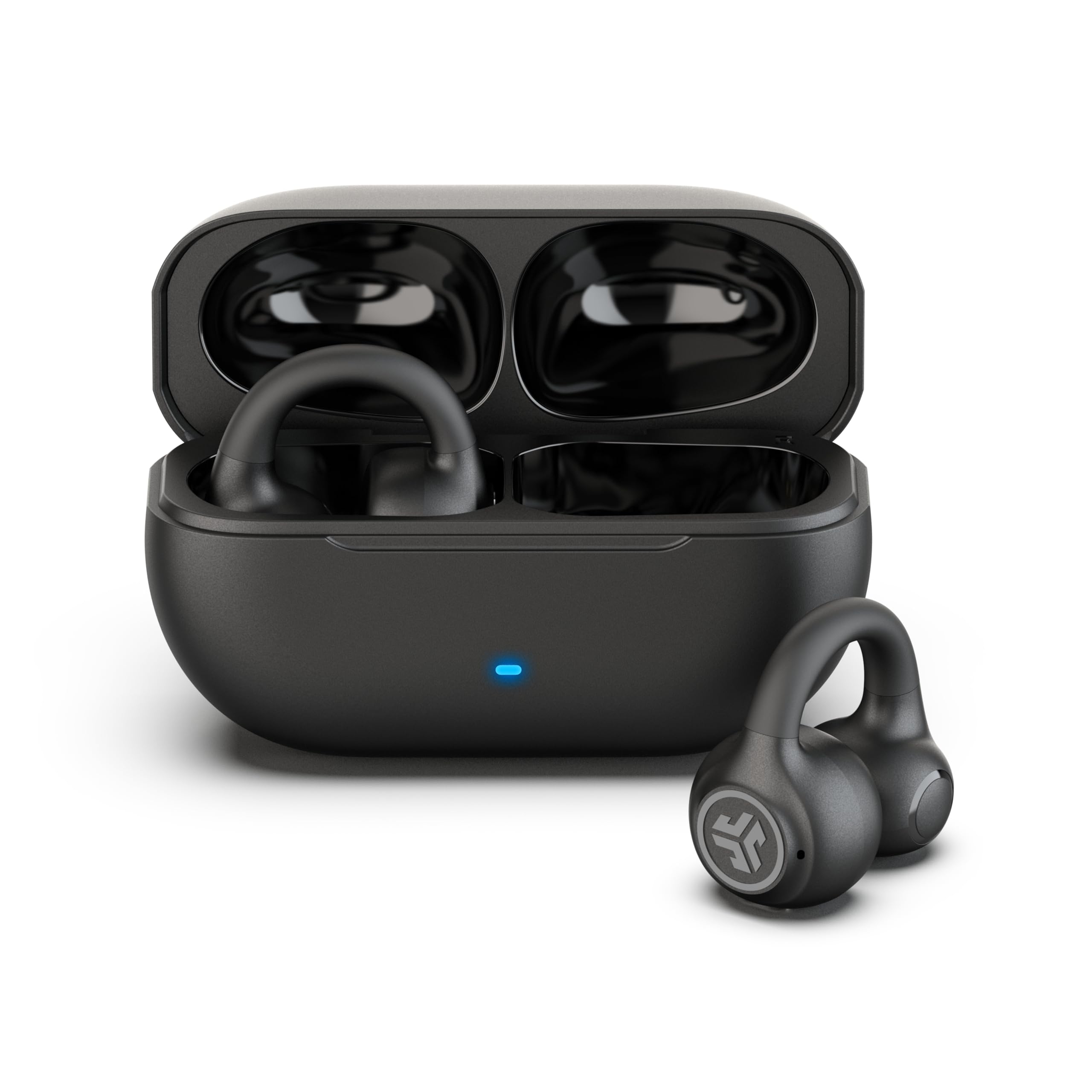
Choose the OpenComm2 UC if you want a boom microphone and a computer-oriented USB-C adapter. Consider the JLab Flex if you prefer separate clip-on earbuds, a charging case, and Bluetooth multipoint for switching between devices.
- The JLab Flex uses clip-on cuff earbuds with Bluetooth multipoint, app EQ and touch controls, plus a charging case with a stated 21-plus total hours of playtime.
- The OpenComm2 UC pairs an open-ear design with a boom microphone, physical call controls, and an included USB-C adapter for computer use.
Battery-focused alternative
9,000+ ratings
Read Amazon ReviewsSHOKZ OpenRun Pro 2
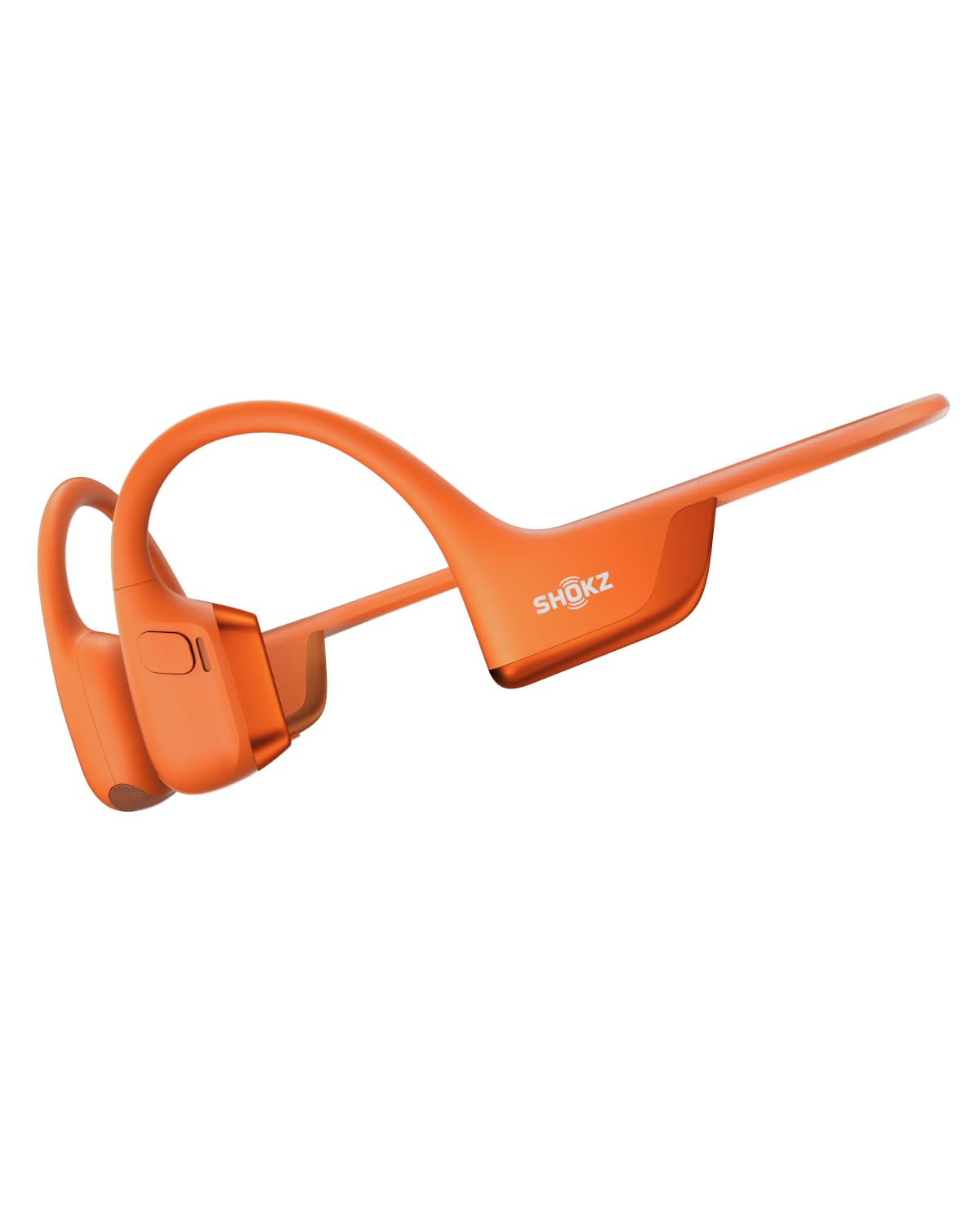
The OpenComm2 UC is the closer fit for computer calls and its bundled adapter. Consider the OpenRun Pro 2 if your main priority is workout listening and you want its described driver combination and EQ modes.
- The OpenRun Pro 2 is positioned for workouts, with a secure lightweight frame, dual bone- and air-conduction drivers, 12-hour stated battery life, and app-based EQ modes.
- The OpenComm2 UC emphasizes computer calls with its boom microphone, Loop120 adapter, and physical call controls.
Is OpenComm2 UC Worth It?
The SHOKZ OpenComm2 UC is worth considering for computer users who want open-ear listening, a boom microphone, physical call controls, and an included USB-C adapter.
Its call-focused feature set and stated battery options make it a plausible work headset for people who value awareness of their surroundings.
Before buying, weigh the open-ear format’s limited isolation and confirm the adapter suits your computer.
If those tradeoffs match your routine and the wraparound frame feels comfortable, the OpenComm2 UC has a coherent set of features for calls and everyday listening.
Your review at a glance
500+ ratings
Read Amazon ReviewsSHOKZ OpenComm2 UC
A fit for computer users who want a lightweight open-ear headset, boom microphone, and bundled USB-C adapter for calls and everyday listening.
- Open-ear bone-conduction headphones with PremiumPitch 2.0 audio and a boom microphone.
- Noise-canceling microphone with DSP technology for calls.
- Loop120 USB-C wireless adapter for PC or Mac, alongside Bluetooth connectivity.
- Zoom-certified design for software integration.