The Liene M110 is a compact dye-sublimation photo printer for phone users who want to make both standard 4 × 6-inch prints and 3-inch square stickers.
This liene m110 review looks at its two paper formats, Bluetooth setup, app tools, and the practical limits to consider before choosing it.
Liene M110 Review Summary
The quick verdict
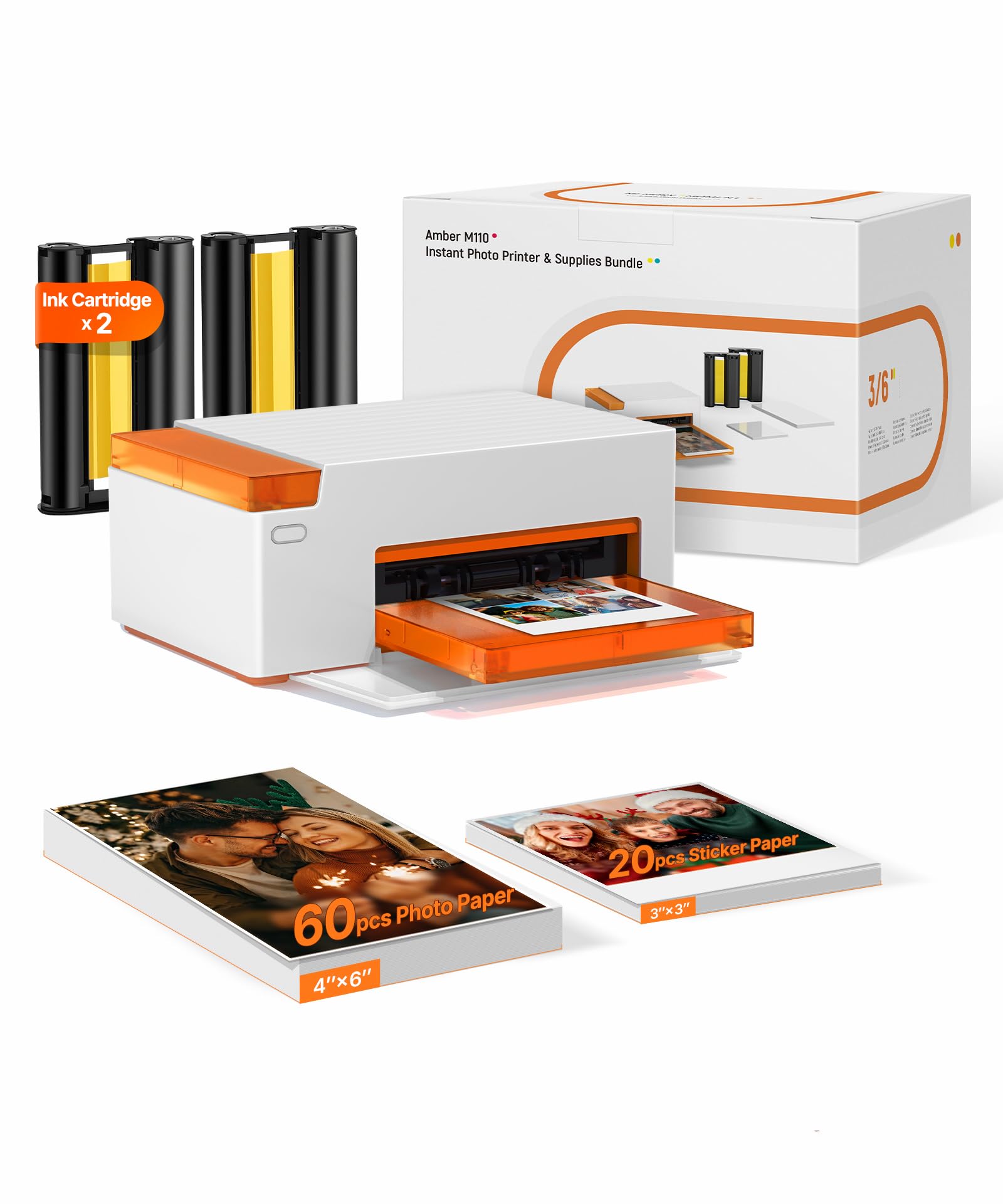
300+ ratings
Read Amazon ReviewsLiene M110
A compact option for smartphone users who want both standard prints and small sticker photos, with app-based editing and included supplies.
- Thermal dye-sublimation color printing for glossy photo paper.
- Two paper trays support 4 × 6-inch photo sheets and 3-inch square sticker sheets.
- The included starter set contains 60 standard photo sheets, 20 square sticker sheets, and two cartridges.
- Bluetooth connection for printing from compatible smartphones; the product details also list USB connectivity.

Pros
- Handles standard photo prints and square sticker paper in one compact printer.
- Useful starter bundle includes both paper formats and two cartridges.
Consider before buying
- Refills need to match Liene’s 4 × 6 or 3 × 3 cartridge formats, which narrows supply choices.
- The product details specify smartphone printing and an app workflow; buyers planning to print mainly from a computer should confirm the supported setup before buying.
Read the full review summary
The M110’s main distinction is format flexibility: its dual-tray design supports regular glossy photos as well as square sticker paper.
It comes with 60 sheets of 4 × 6-inch paper, 20 square sticker sheets, and two cartridges, so buyers can try both formats before restocking.
Dye-sublimation printing and a laminated print surface are intended to produce vivid photos with resistance to water, scratches, fingerprints, and fading.
This model makes most sense for people who already take pictures on iOS or Android devices and enjoy turning selected images into prints, labels, or small keepsakes.
The companion app adds borders, filters, brightness and contrast adjustments, print-status checks, and ID or visa photo layouts.
Its 2.9-pound weight and roughly 8.07 × 3.48 × 5.38-inch dimensions suit a shelf or desk, though buyers should confirm the printer’s connection and power requirements match where they plan to use it.
The buying factors
Liene M110 Scorecard
Editorial scores reflect listed features and buyer fit; they are not laboratory measurements or customer ratings.
Print format flexibility
The dual-tray setup accommodates both 4 × 6-inch photos and 3-inch square sticker sheets.
Included starter supplies
The bundle includes 80 sheets across two formats and two cartridges, giving buyers a useful starting supply.
Phone workflow
Bluetooth printing and the Liene app offer a direct mobile workflow with basic editing and layout tools.
Print protection
The laminated surface is designed to resist water, scratches, fingerprints, and fading.
Portability
Its compact footprint supports moving it between rooms, while its 2.9-pound weight is more suited to occasional carrying than pocket travel.
Supply flexibility
The printer is compatible with Liene 4 × 6 and 3 × 3 cartridges, so buyers should factor in the specific refill format when planning ongoing use.
Key Features and Specifications of Liene M110
- Thermal dye-sublimation color printing for glossy photo paper.
- Two paper trays support 4 × 6-inch photo sheets and 3-inch square sticker sheets.
- The included starter set contains 60 standard photo sheets, 20 square sticker sheets, and two cartridges.
- Bluetooth connection for printing from compatible smartphones; the product details also list USB connectivity.
- The Liene app supports borders, filters, contrast and brightness adjustments, print-status checks, and ID or visa photo layouts.
- Compact body measuring about 8.07 × 3.48 × 5.38 inches and weighing 2.9 pounds.
- A 12-month warranty is listed for the product.
Pros and Cons of Liene M110
Pros
- Handles standard photo prints and square sticker paper in one compact printer.
- Useful starter bundle includes both paper formats and two cartridges.
- App editing options let users make simple adjustments before printing.
- Laminated prints are designed to resist several common sources of surface wear.
Consider before buying
- Refills need to match Liene’s 4 × 6 or 3 × 3 cartridge formats, which narrows supply choices.
- The product details specify smartphone printing and an app workflow; buyers planning to print mainly from a computer should confirm the supported setup before buying.
- The listed print pace is one page per minute, making this better suited to occasional photos than high-volume document work.
Who Should Buy Liene M110?
Good fit
Consider the M110 if you want a phone-focused photo printer that can make both keepsake prints and small stickers.
The second format gives it a creative use beyond a typical 4 × 6-only setup, while the app’s filters, borders, and basic adjustments help prepare images without a separate editing process.
The included paper and cartridges make it easier to explore both formats at the start.
It can suit a family photo corner, a craft desk, or someone who likes printing selected travel and event pictures; just check the replacement cartridge options and confirm the connection setup fits your devices before committing.
Who should skip it
Look elsewhere if your main goal is fast, high-volume printing or if your workflow depends on direct computer printing. The M110 is described as a photo-focused printer with a one-page-per-minute pace and a mobile app-centered feature set.
It may also be a poor fit if you only need standard 4 × 6 prints and have no use for sticker sheets, since its most distinctive benefit is the added square format.
How the Liene M110 fits a phone photo workflow
Two formats broaden its use
The dual trays let the M110 switch between standard 4 × 6-inch photos and 3-inch square sticker paper.
That pairing suits a household or craft setup where some images belong in albums or frames and others work better as labels or small keepsakes.
Buyers should decide how often they will use the sticker format, since it is the feature that most clearly separates this model’s workflow from ordinary photo printing.
Mobile editing before printing
The app provides straightforward controls for borders, filters, brightness, and contrast, plus layouts for ID and visa photos. These tools are useful for light editing and practical cropping before a print.
They are not a substitute for a full desktop editing workflow, so photographers who need detailed color control should consider how much adjustment they expect to do on a phone.
Print surface and ongoing supplies
Dye-sublimation printing lays down color and finishes the photo with a laminated surface designed to resist water, scratches, fingerprints, and fading. That is a sensible design for prints that may be handled, though care and storage still matter.
The M110 uses Liene 4 × 6 and 3 × 3 cartridge formats, so check refill availability and the format mix you expect to consume before making it a regular printing station.
Size and placement
At 2.9 pounds and about 8.07 × 3.48 × 5.38 inches, the M110 is compact enough for a desk or shelf and can be moved when needed.
It is not an especially light pocket device, so its portability is best understood as flexible placement around the home or office.
If you plan to take it on trips, confirm the power and connection arrangements suit that use.
Alternatives to Liene M110
Desktop Photo Printers alternative
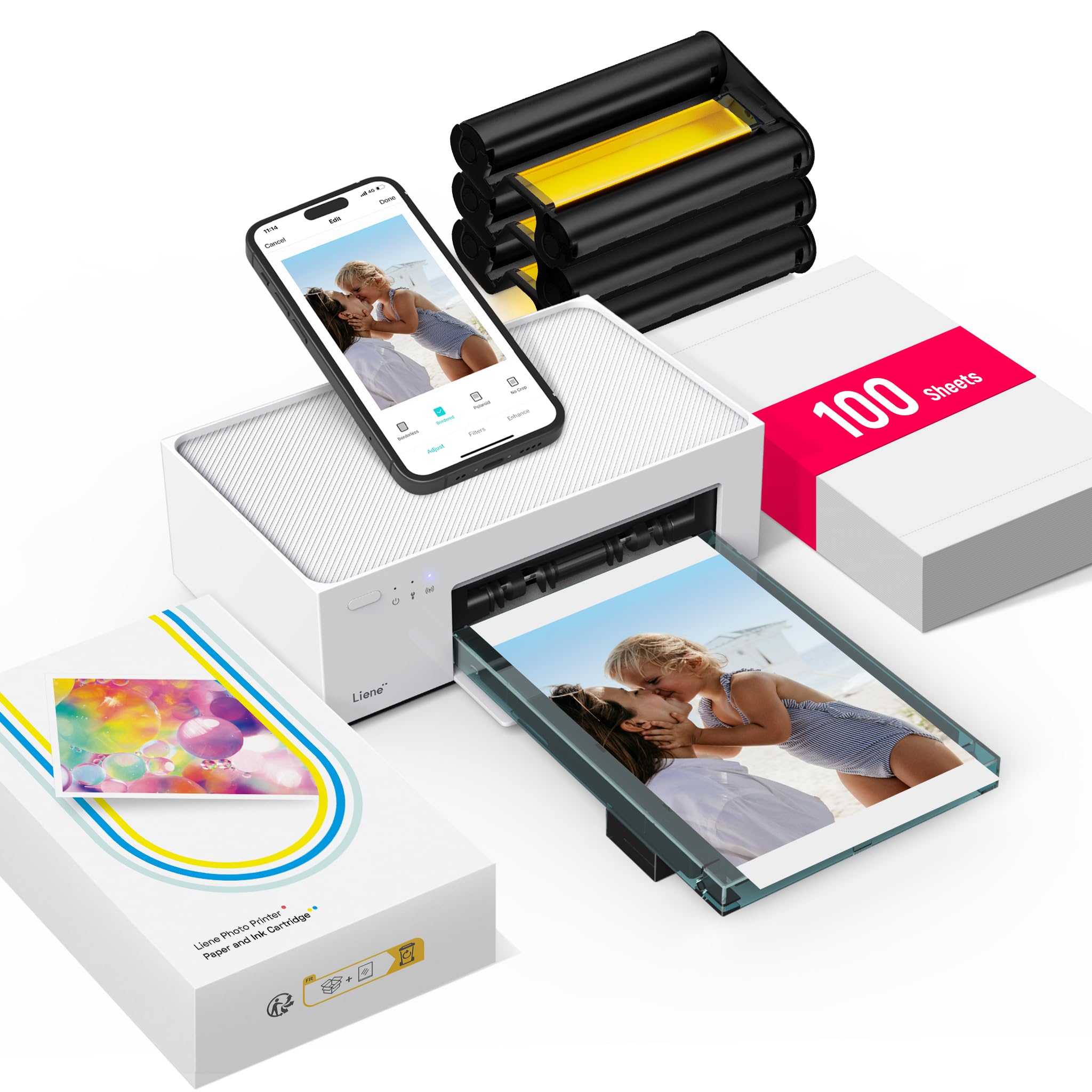
4,000+ ratings
Read Amazon ReviewsLiene M100
Choose the M110 if you want the square sticker format and Bluetooth setup.
The M100 is a closer fit if standard 4 × 6 photos are your only format and a larger included photo-paper bundle or multi-device Wi-Fi connection matters more.
- The M100 is a 4 × 6-inch dye-sublimation printer that uses a built-in Wi-Fi hotspot and supports up to five simultaneous connections.
- Its listed bundle includes 100 photo sheets and three cartridges.
- The M110 supports both 4 × 6-inch photos and 3-inch square sticker sheets, with a Bluetooth and app-centered workflow.
Battery-focused alternative

500+ ratings
Read Amazon ReviewsLiene M200 Battery Edition
The M200 is the more relevant option for buyers who want to print away from an outlet and mainly need standard 4 × 6 photos.
The M110 better suits a desk or home setup where square sticker printing is a priority.
- The M200 is a 4 × 6-inch dye-sublimation printer with a rechargeable battery, with up to 40 prints per charge listed, and a built-in Wi-Fi hotspot.
- The M110 is compact and supports two media formats, but its description does not specify a built-in battery.
Is Liene M110 Worth It?
The Liene M110 is worth considering for smartphone users who will make real use of both 4 × 6-inch photos and square sticker prints.
Its dual trays, included mixed-format supplies, app editing, and laminated dye-sublimation output form a useful package for casual home printing and craft projects.
Before buying, make sure Liene’s cartridge formats fit your ongoing supply plans and that Bluetooth or USB works with your intended setup.
If you only want standard prints or need battery-powered travel use, compare the formats and power arrangements that matter to your routine.
Your review at a glance
300+ ratings
Read Amazon ReviewsLiene M110
A compact option for smartphone users who want both standard prints and small sticker photos, with app-based editing and included supplies.
- Thermal dye-sublimation color printing for glossy photo paper.
- Two paper trays support 4 × 6-inch photo sheets and 3-inch square sticker sheets.
- The included starter set contains 60 standard photo sheets, 20 square sticker sheets, and two cartridges.
- Bluetooth connection for printing from compatible smartphones; the product details also list USB connectivity.